If you’ve ever quoted a job off a rough site sketch and a gut feeling, you already know why construction estimating software exists. One misjudged slope, one missed setback, one wrong material quantity, and a “profitable” job turns into a break-even one. This guide covers exactly what construction estimating software is, how it works, what separates a genuinely useful tool from a glorified spreadsheet, and what to look for before you commit your sales team to one.
What Is Construction Estimating Software?
Construction estimating software is a digital tool that helps builders, contractors, and estimators calculate the cost of a project by automating material takeoffs, labour calculations, and pricing, replacing manual spreadsheets and paper plans. In short: it turns “how much will this cost?” from a multi-day guessing exercise into a structured, repeatable process.
At its core, most estimating software does three things:
- Calculates quantities (materials, labour hours, equipment) from plans or site data
- Applies pricing (unit costs, supplier rates, markups) to those quantities
- Outputs a proposal or quote the sales team can send to a client
The category ranges from basic spreadsheet templates to AI-powered platforms that pull real site data before a single line item is priced.
Why Construction Estimating Software Matters More Than Ever
Estimating isn’t a back-office task. It’s the first real signal a client gets about whether they’re dealing with a builder who has their act together.
A slow or inaccurate estimate costs you in three ways:
- Lost deals: buyers move fast, and a two-week wait for a quote is enough time to sign with someone else
- Margin erosion: underestimated jobs eat into profit the moment the crew breaks ground
- Reputation risk: a quote that changes significantly once construction starts damages trust, even when the change is justified
For builders running consistent volume, this compounds fast. Builders using site-specific estimating tools have seen sales cycles shrink by 2 to 4 weeks per job and conversion rates lift 15 to 30%, with most recovering the cost of the software within their first 1 to 2 signed jobs.
How Does Construction Estimating Software Work?
Most construction estimating software follows a similar workflow, even if the interface looks different from tool to tool:
- Input the project: upload plans, enter a site address, or select a design from a catalogue
- Generate quantities: the software calculates material takeoffs (concrete, framing, roofing, etc.)
- Apply pricing: unit costs and labour rates are applied, often pulled from a pre-built pricing library
- Produce the output: a formatted quote or proposal, ready to send or present
The Problem: Most Estimating Tools Are Only as Good as What You Type Into Them
Here’s what most estimating software doesn’t tell you upfront: it’s only ever as accurate as the assumptions fed into it. Manually entered lot dimensions, guessed slope, an overlay nobody checked, these are exactly the details that get missed on a rushed site visit or a quick look at a council map. The estimate comes out clean and professional. It’s just built on inputs nobody verified.
That’s the gap between “software that produces a quote” and “software that produces a quote you can stand behind.”
Site-Specific Data: The Missing Piece in Most Estimating Software
Before any estimate is accurate, the site itself has to be understood: zoning, setbacks, slope, overlays, and whether the design even fits the lot. Most estimating tools skip straight to pricing and treat the site as a static input someone else already validated.
SiteCheck closes that gap first. A rep enters an address and gets a complete pre-construction picture in seconds: what zoning allows, what physically fits, where setbacks fall, topography, shadow analysis, and compliance status, all resolved to the actual parcel, not an assumption. SiteCheck delivers 97% topographic accuracy, so slope and cut/fill assumptions are based on real data rather than a guess made from the footpath.
“Canibuild has been fundamental in the way we qualify leads and quote our builds. From the first interaction, we can confidently assess the site and provide accurate info quickly and professionally. With the surge in leads over the past two years, Canibuild has helped us scale and maximise our market opportunity.”
— Ramonda Rose, Blue Haven Pools (Australia)
From Site Data to Itemised Quote: How SmartQuote Works
This is where most estimating software and Canibuild genuinely diverge. Once SiteCheck has confirmed what’s actually buildable on a site, SmartQuote takes that same site-specific data, lot dimensions, slope, setbacks, compliance status, and turns it directly into a real, itemised quote. No re-entering site details into a second tool. No estimator reconciling two sets of numbers before a quote can go out.
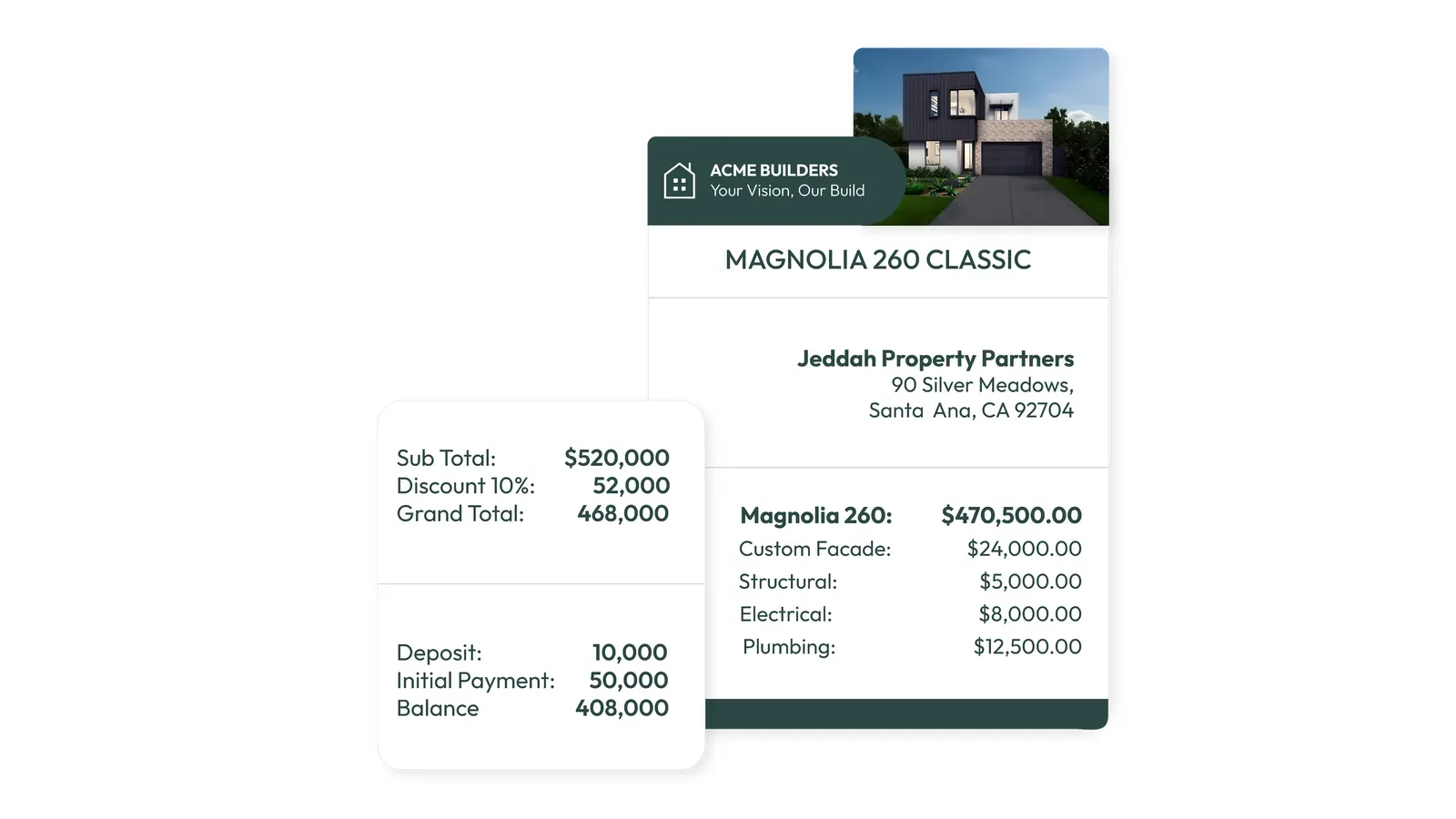
What that means in practice:
- No duplicate data entry: the site data your rep already pulled up on the call is the same data pricing the job, so there’s no second manual takeoff to reconcile
- Site-specific pricing, not generic averages: a sloped, tight-access lot and a flat, easy-access lot price differently, because the underlying site data is different, not because someone remembered to adjust for it
- Consistent pricing logic across your whole team: every rep is quoting off the same pricing rules and the same verified site data, not their own spreadsheet or their own judgment call
- Quotes generated in the room: instead of “I’ll get a number to you in a few days,” a rep can walk a client from address to itemised quote in the same meeting
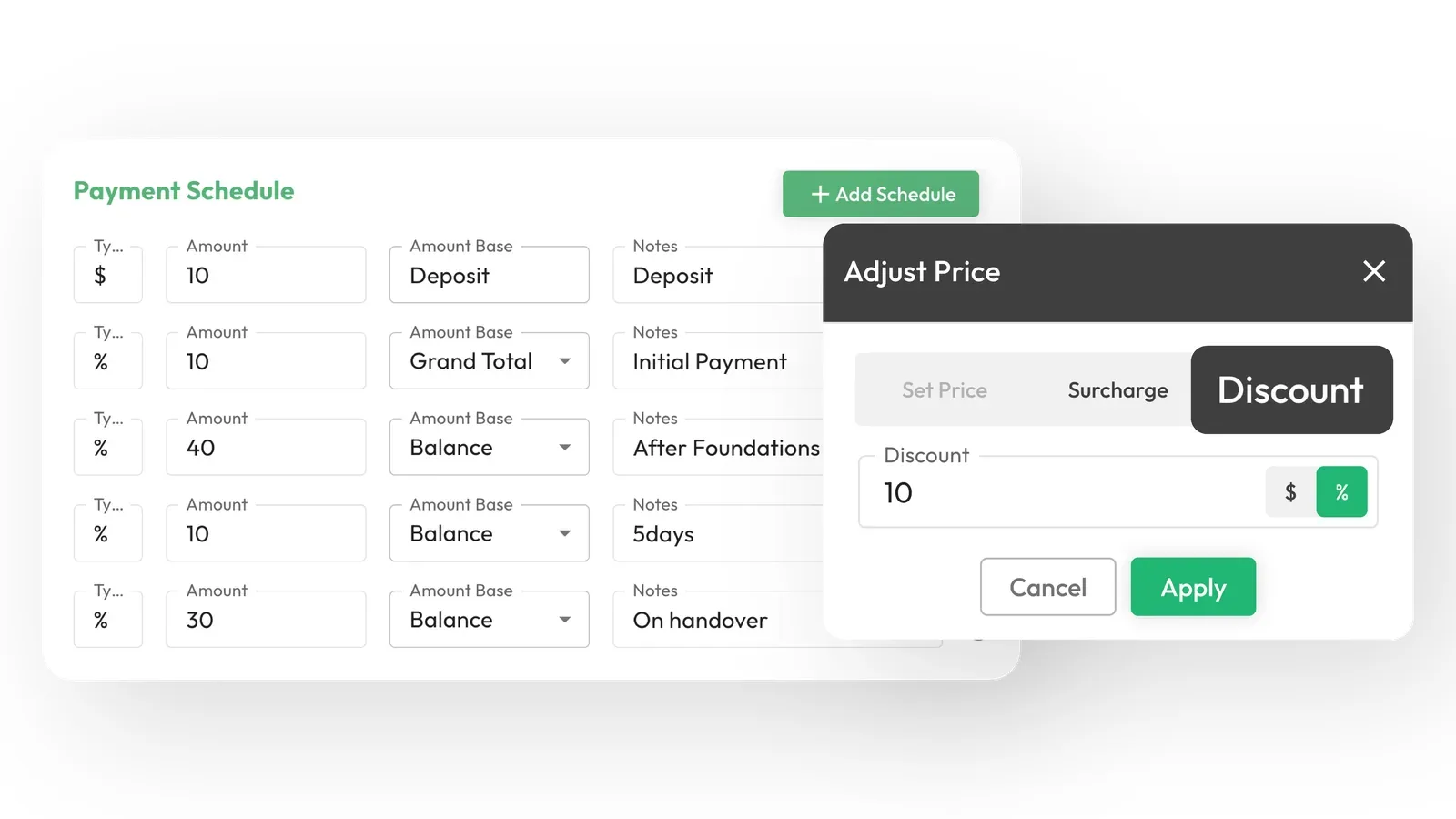
The result is a quote that’s fast because it’s accurate, not fast because it skipped a step. That’s the difference between estimating software that produces a number and estimating software that produces a number you can defend when the job starts.
See it on a real address, not a demo slide.
Book a demo, and we’ll run an actual site through SiteCheck and SmartQuote live, so you can see exactly how long it takes to go from address to itemised quote.
Book a demoThe Numbers: What Faster, More Accurate Estimating Is Worth
For single-family home builders specifically, site-specific feasibility and quoting has been shown to:
- Accelerate the sales cycle by 2 to 4 weeks per job
- Save $500 to $3,000 per project in consultant and surveyor fees that would otherwise be needed to validate a site
- Lift conversion rates 15 to 30%
- Pay back the cost of the platform within 1 to 2 signed jobs
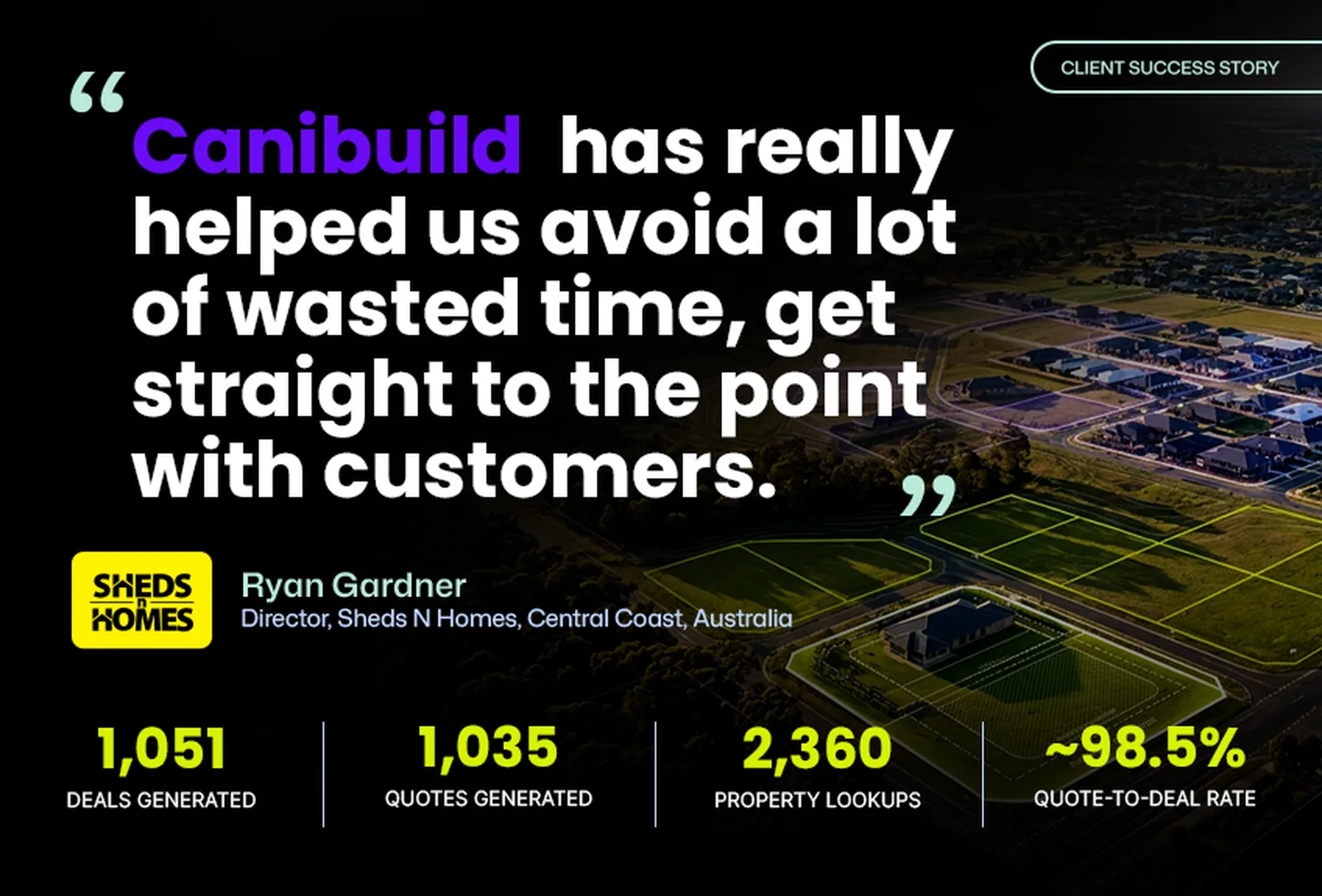
Zoom out further: Canibuild’s engine has completed 5M+ site assessments and is used by top residential builders across the US, Australia, New Zealand and Canada, so the pricing logic and site data behind SmartQuote have been tested at genuine scale, not just in a handful of pilot markets.
“Canibuild transformed our sales process. The 3D visualizations and marketing flyers wow our clients, helping them make decisions faster. Plus, the built-in compliance tools help us secure permits from the county with ease!”
— Cathay Bowles, San Juan Pools (USA)
What to Look for When Choosing Construction Estimating Software
Not all estimating software solves the same problem. Before you commit a sales team to a tool, run it against these questions.
Questions to Ask Before You Buy Construction Estimating Software
- Does the quote start from real site data, or from numbers a rep typed in from memory?
- Can a rep generate a full quote in a single client meeting, or does it require a follow-up?
- Is pricing logic consistent across every rep, or does each person apply their own markup and assumptions?
- Does it account for site-specific cost drivers (slope, access, compliance requirements), or does it price every lot the same?
- Will your team actually use it day to day, or does it require a second system alongside the one they already use?
If the answer to any of those is “it depends on the rep,” that’s the gap SmartQuote was built to close.
Here’s the real question underneath everything in this guide: how many jobs did you underquote last year because a slope or a setback got missed on a rushed site visit? How many deals went to a competitor because your quote took eight days instead of eight minutes?
Most construction estimating software will help you build a quote faster. Very few will make sure that quote is actually right, because most of them never touch the site itself. That’s the gap between a tool that produces a number and a platform that produces a number you can defend when the client pushes back, or when the crew breaks ground and the site doesn’t match the paperwork.
SiteCheck and SmartQuote close that gap together: real site data in, itemised quote out, no reconciling two systems in between. Builders using this approach are shaving 2 to 4 weeks off their sales cycle and recovering the cost of the platform within their first 1 to 2 signed jobs. That’s not a productivity tweak. That’s deals you’re currently losing to whoever quotes faster and more confidently than you.
You already know what a wrong estimate costs you. You’ve eaten that job before.
Book a demo, and we’ll walk you through your own market, your own designs, on a real site, so you can see exactly what a same-call, site-accurate quote looks like for your business.
Frequently Asked Questions:
Q: What’s the difference between estimating software and quoting software?
A: Estimating software calculates the underlying cost of a project (materials, labour, quantities). Quoting software packages that cost into a client-facing proposal. Some platforms, like SmartQuote, do both in one step by generating an itemised, client-ready quote directly from verified site data.
Q: How accurate is construction estimating software?
A: Accuracy depends entirely on the inputs. Software fed manually entered or assumed site details is only as accurate as that manual entry. Software fed real, verified site data, like topography, setbacks, and zoning resolved to the actual parcel, produces materially more reliable estimates.
Q: Does construction estimating software replace an estimator?
A: No. It replaces the manual, repetitive parts of early-stage estimating: takeoffs, site lookups, and first-pass pricing. Estimators and sales teams still own client relationships, complex projects, and judgment calls the software isn’t built to make.