Accessing MyHub
- Click on MyHub.

Managing Deals
The Deals tab provides a comprehensive overview of all addresses that have been searched within the Canibuild platform.
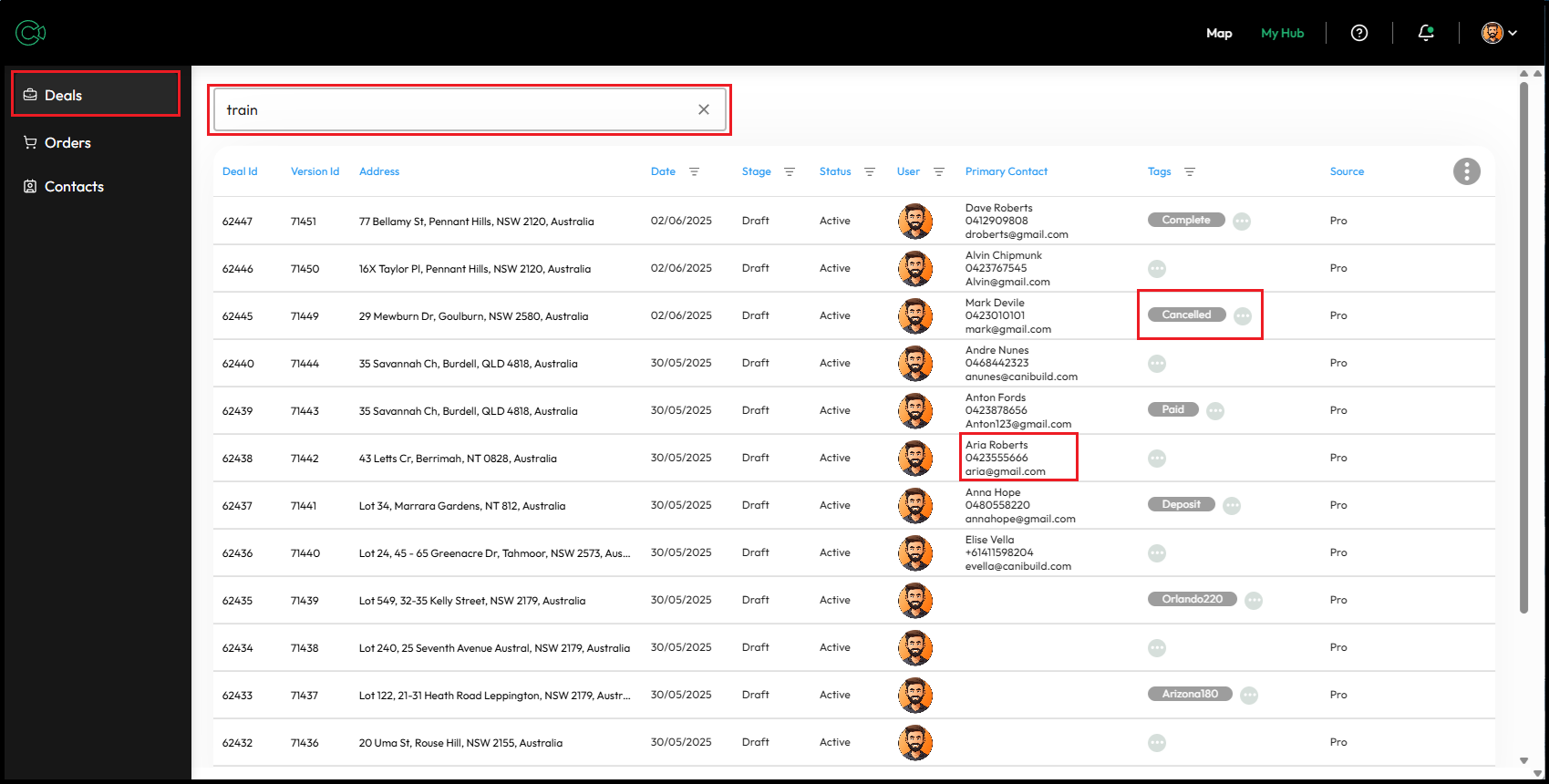
- Click the Deals tab on the left side of the screen.
-
Click the Search Bar to find a property.
-
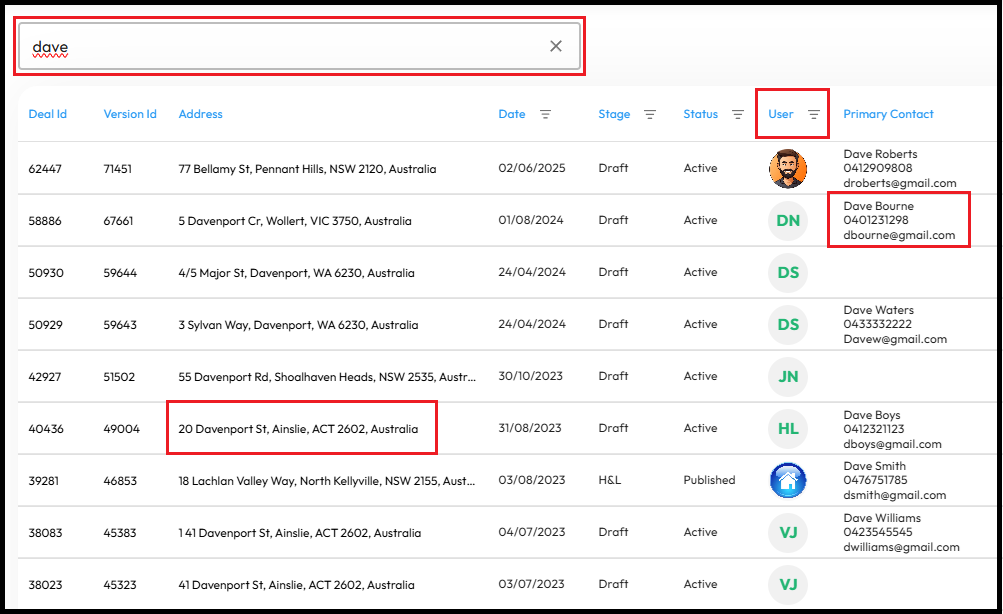
Search by lot number, street name, suburb, user name, or client details (name, email, or phone number).
-
Click the address to return to the selected site.
-
Click User to filter results by user name.
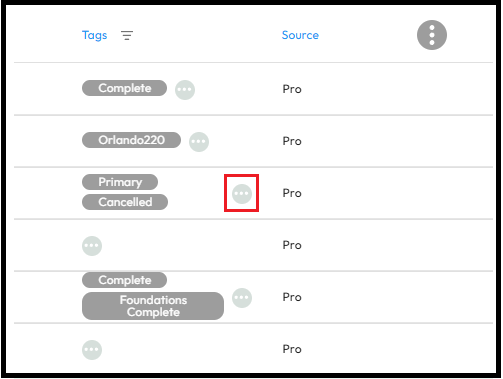
- Click the three dots to add a tag.
-
Click the red X to remove a tag.
-
Type to view existing tags or create a new one.
-
Click Save to finalise the tag.
Accessing All Ordered Documents
-
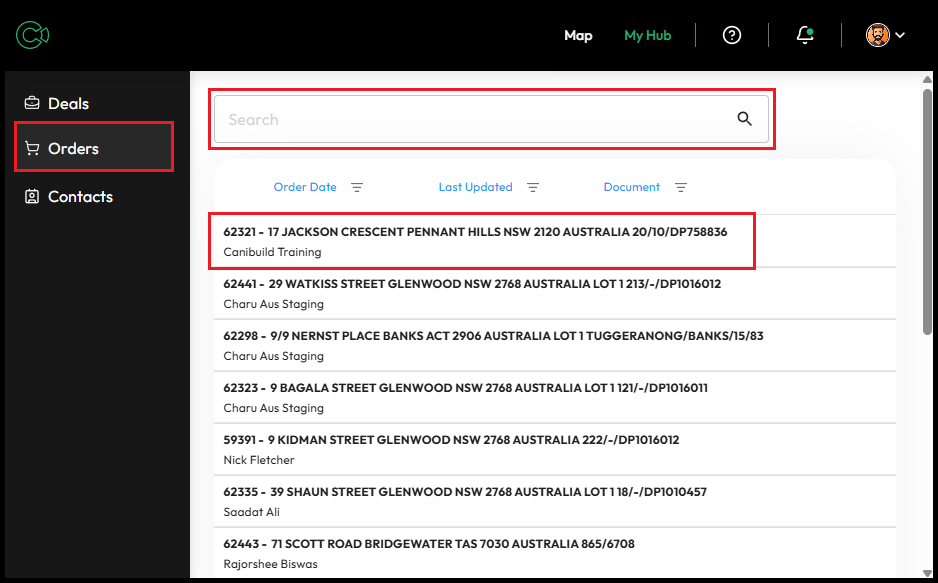
Click the Orders tab on the left.
-
Search for an address.
-
Click the address to view its associated documents.
-
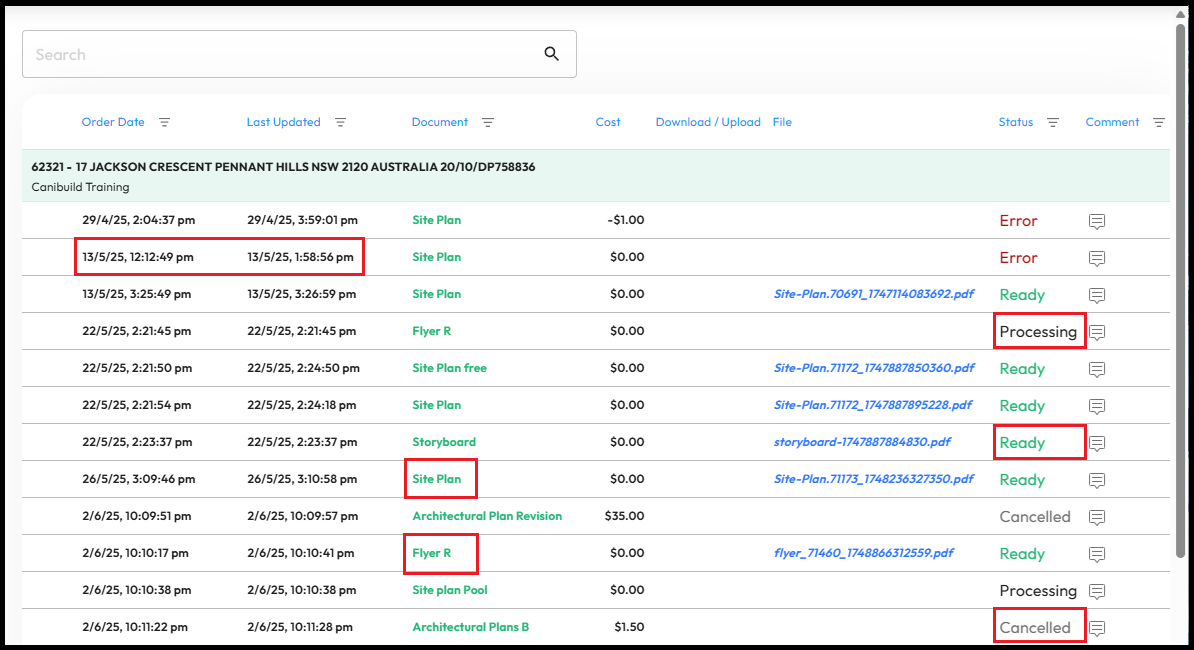
Click the blue link next to a document to download it.
-
All documents remain stored under their respective address.
-
Check the status, price, & date of each document.
-
Most recent documents appear at the bottom of the list.
Updating Contacts
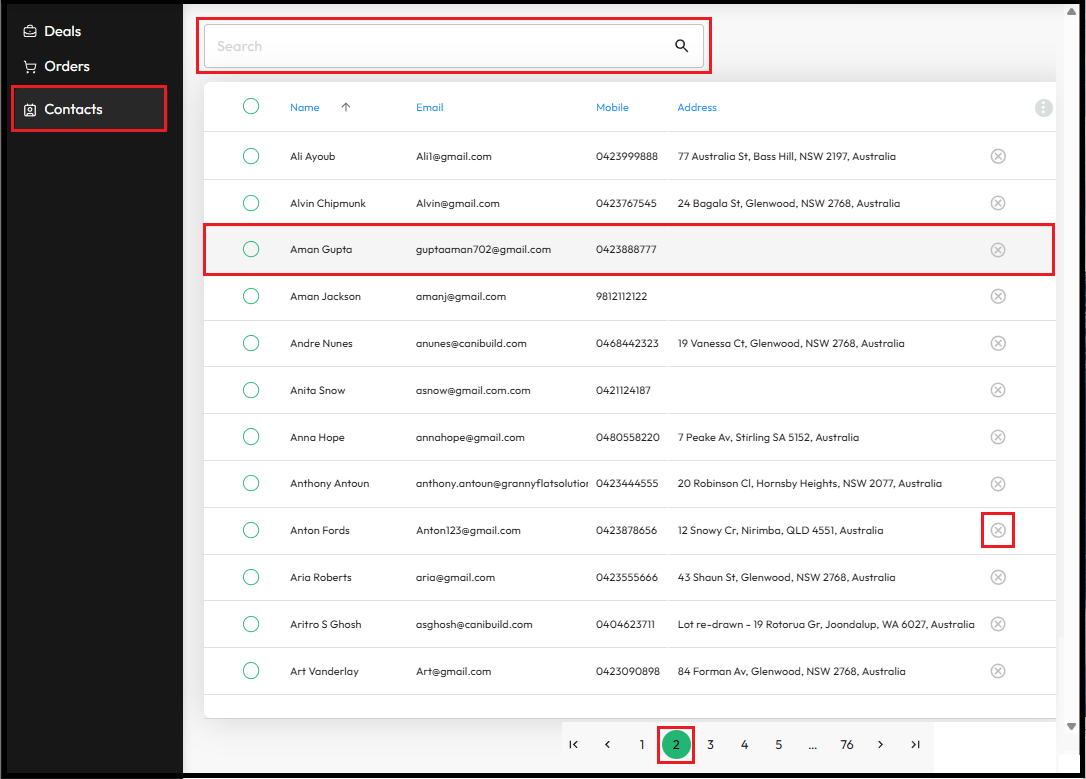
- Click the Contacts tab on the left.
-
Search for an address.
-
Use the arrows or page numbers at the bottom right to navigate.
-
Click the X to remove a contact.
-
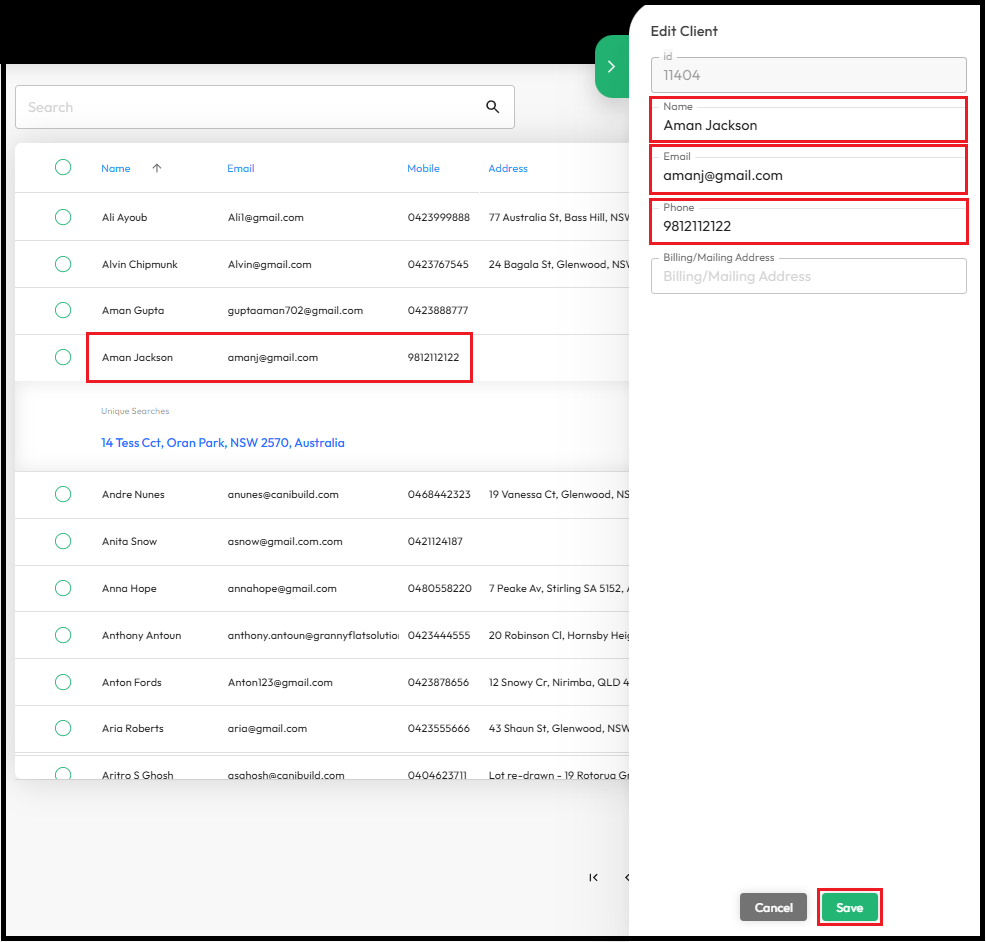
Click the client’s name to open their details.
-
Edit the client’s information as needed.
-
Click Save to apply the updates.