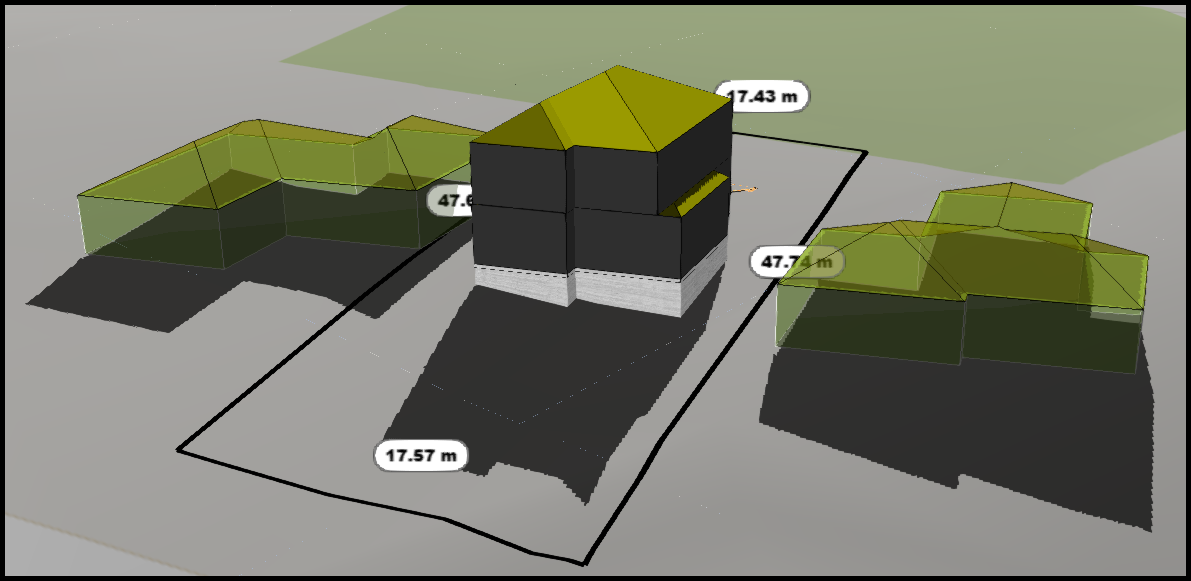
This article will guide you through the key features of the Real-Time 3D tool, including how to assess shadow impact, calculate site costs & improve the marketability of your project with realistic 3D renders.
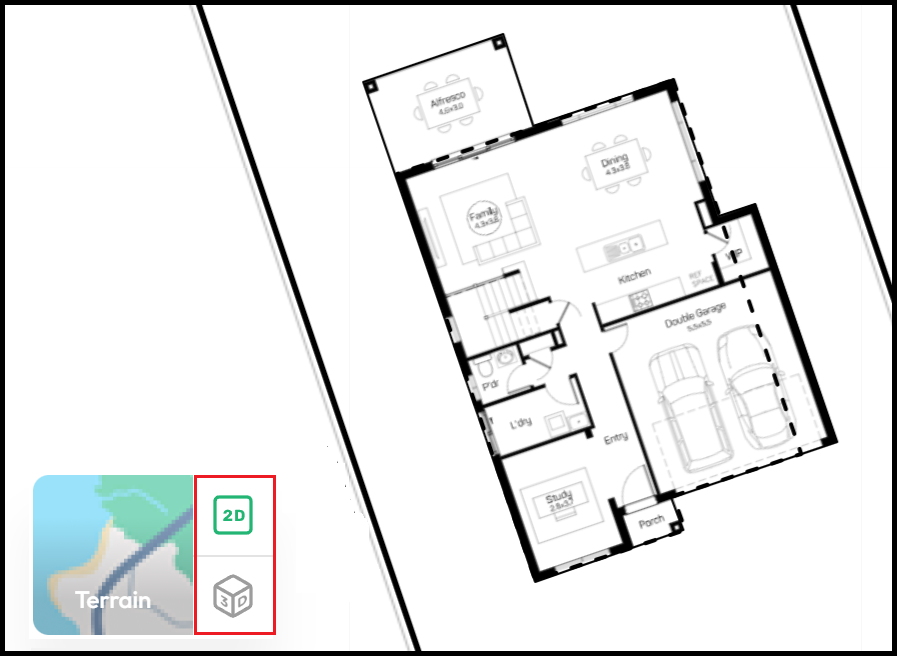
 | View in 3D - Activates the 3D feature. |
 | View in 2D - Click to exit 3D mode. |
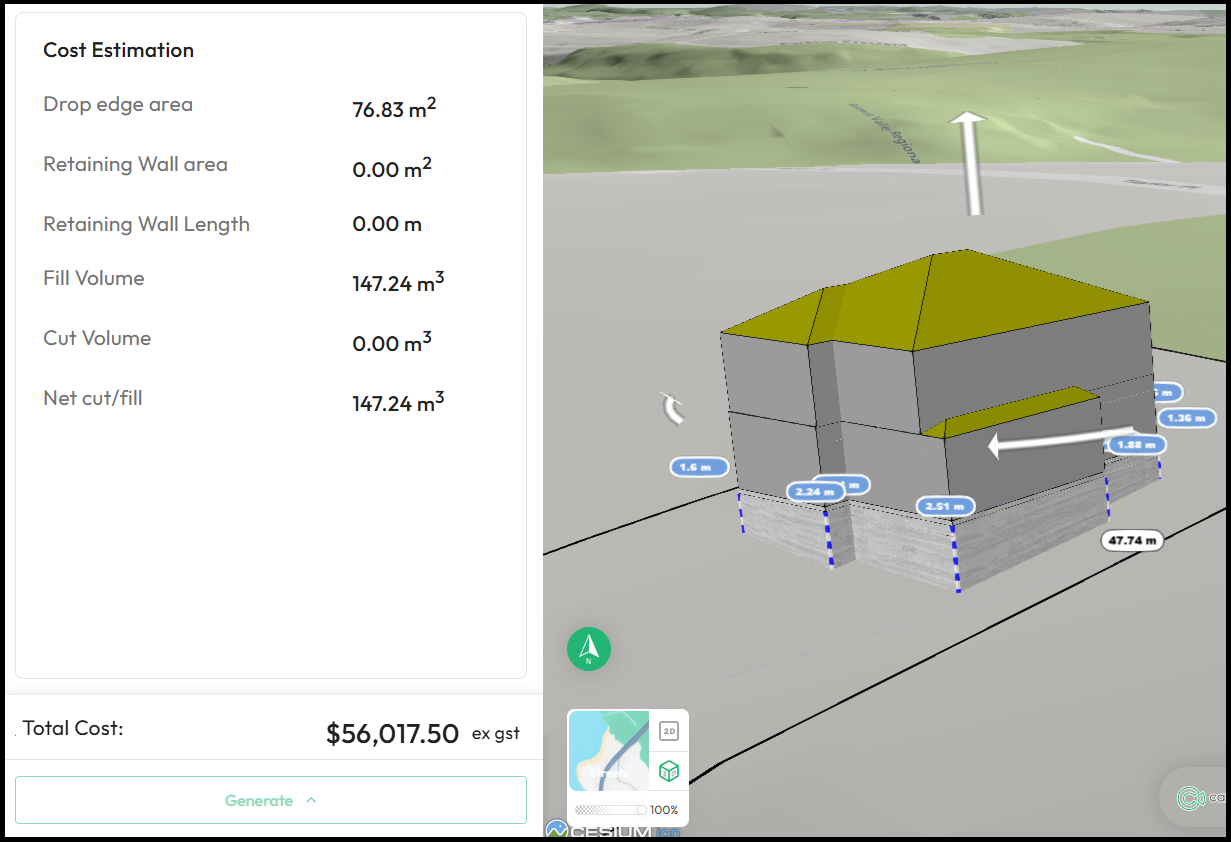
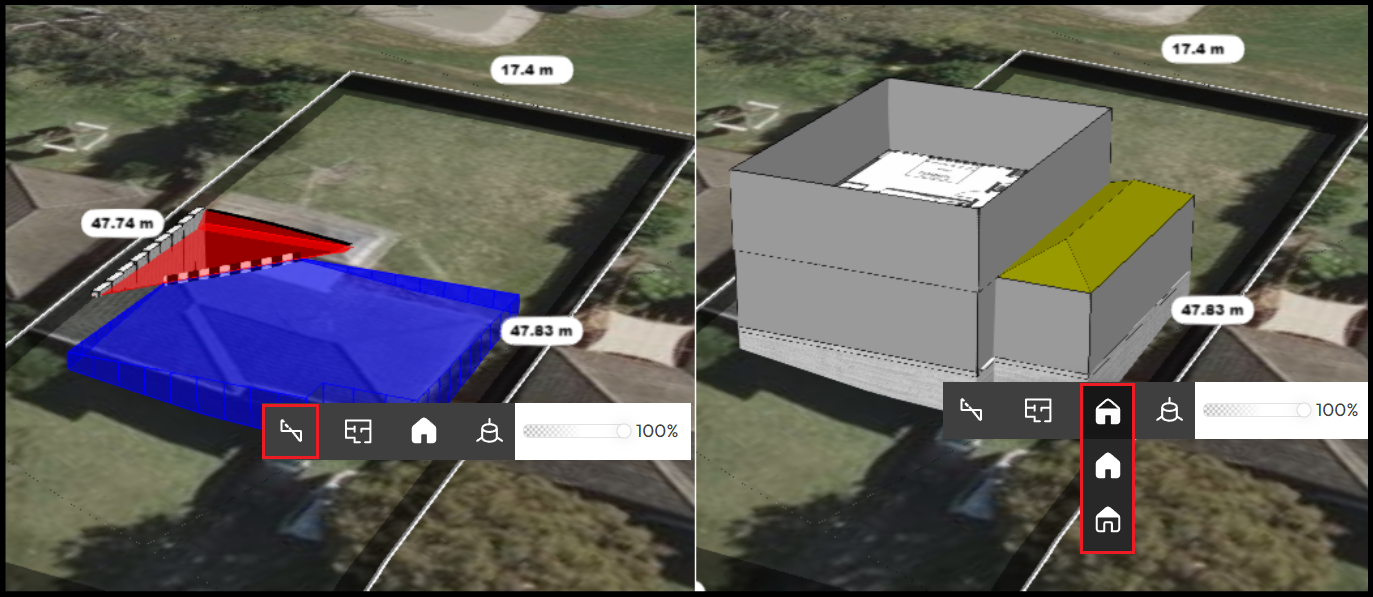
 | Cut / Fill Mode - Hides the design & shows cut, fill, drop edge & retained areas. |
 | Toggle Floor plan - Turns the floor plan overlay on & off. |
 | View Floors - Switch between ground & first floor by removing the roof. |
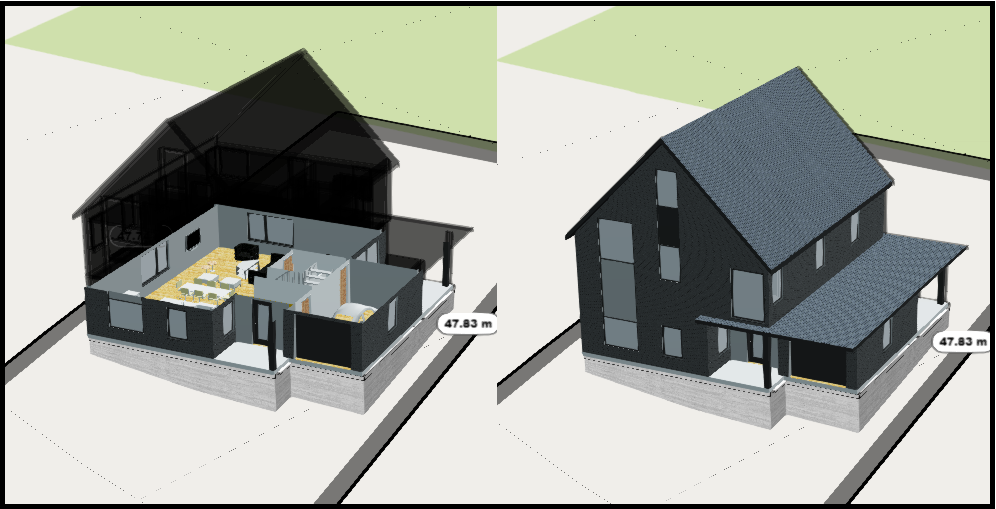
 | Show model - Displays the 3D model if a .glb file is uploaded to the design. |
 | Toggle Shadows - Activate Shadowing & sun position using time & date controls. |
 | Toggle Contours - Displays site contour lines in 3D view. |
 | Additional Info - Toggle surrounding buildings & structures. |
- Click the 3D icon to access site calculations & shadowing.
Design Elevation & Site Calculations
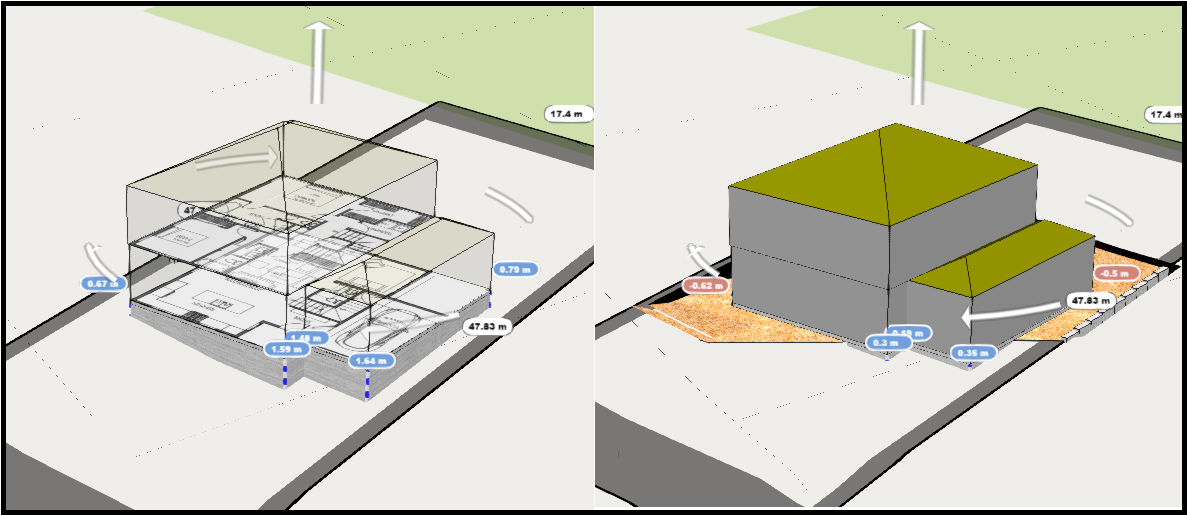
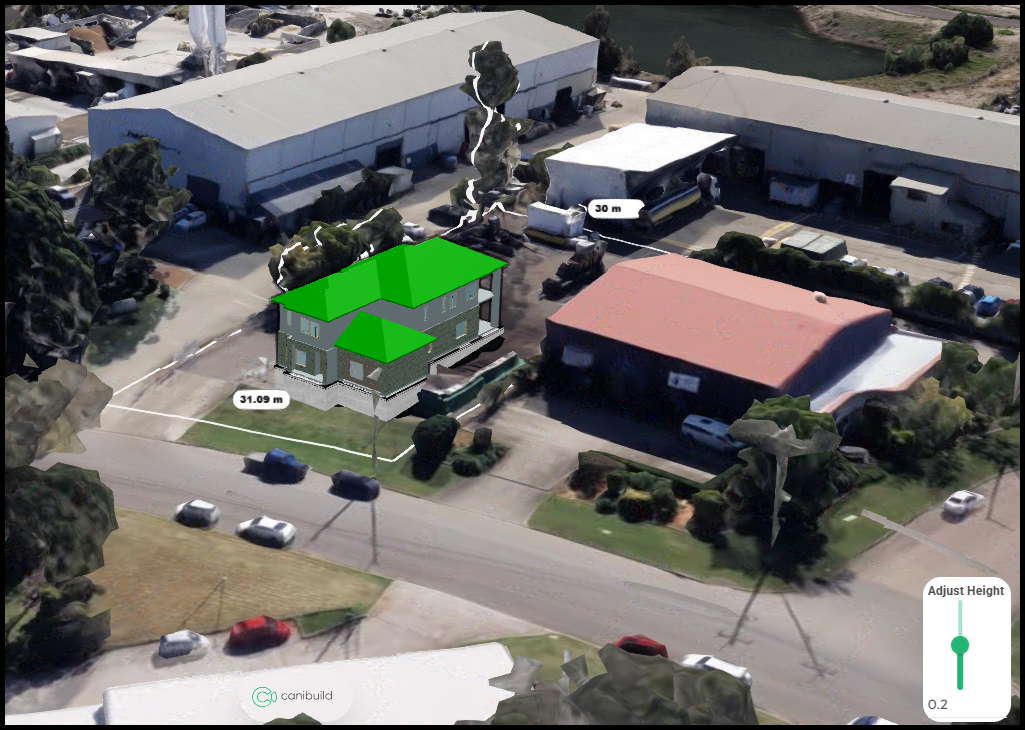
- Left click the design to activate the Elevations.
- Click & Hold the Arrows to raise, lower or rotate the design.
Adjusting the Render & Using 3D Models
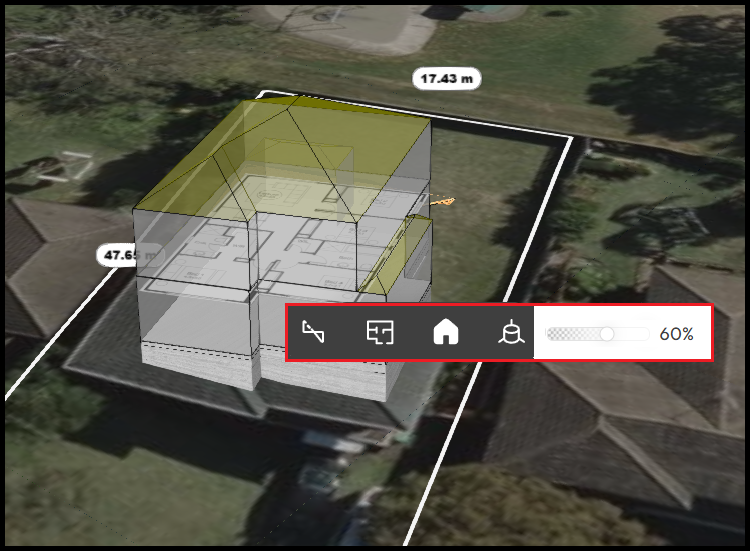
- Right click the design to open the menu.
- Slide the Scroll Bar to adjust the Render.
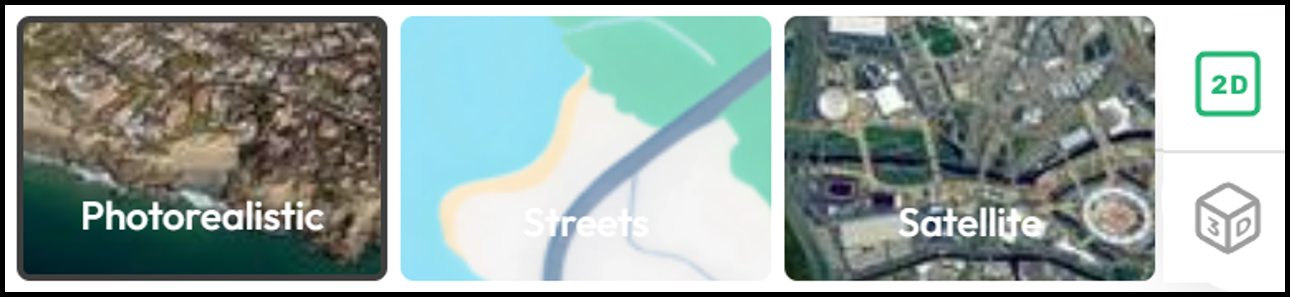
Selecting Site Imagery
Choose from different backgrounds for visualising your site:
-
Photorealistic – Automatically displays buildings & trees on nearby lots.
-
Street – Displays a street-level rendered view.
-
Satellite – Displays overhead aerial view.
Shadowing Tool
-
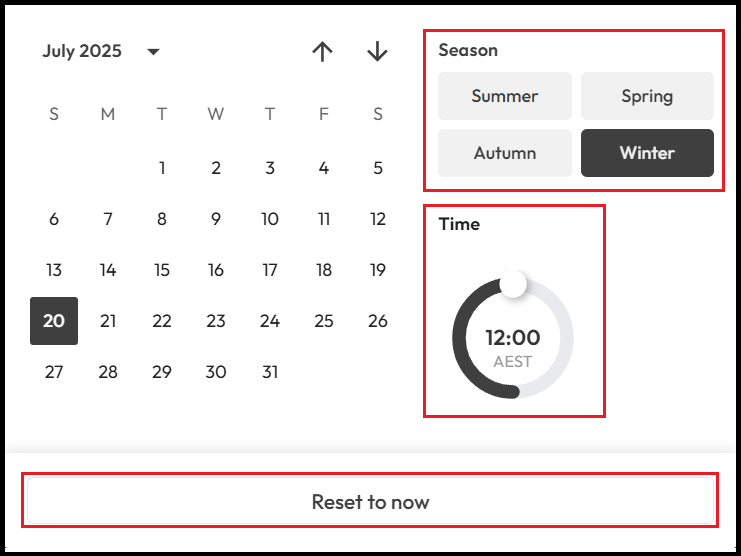
Click Toggle Shadows.
-
Select a Season (Summer, Autumn, Winter, Spring).
-
Click the arrows to change Month.
-
Select a Date.
-
Click & drag the Time Dial to simulate sunlight throughout the day.