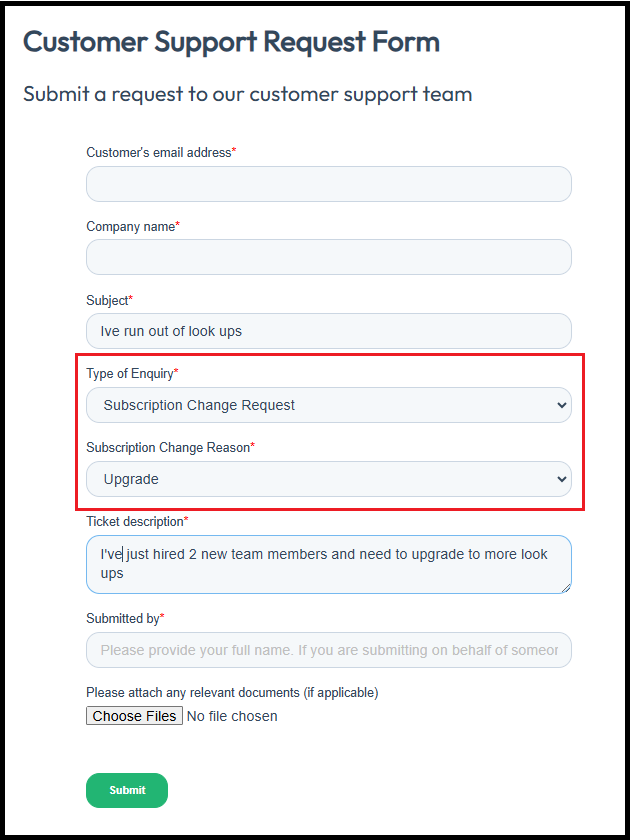
- Click the Help Icon to submit a ticket.

- Click Submit a Support Ticket.
OR
- Click Contact Support.
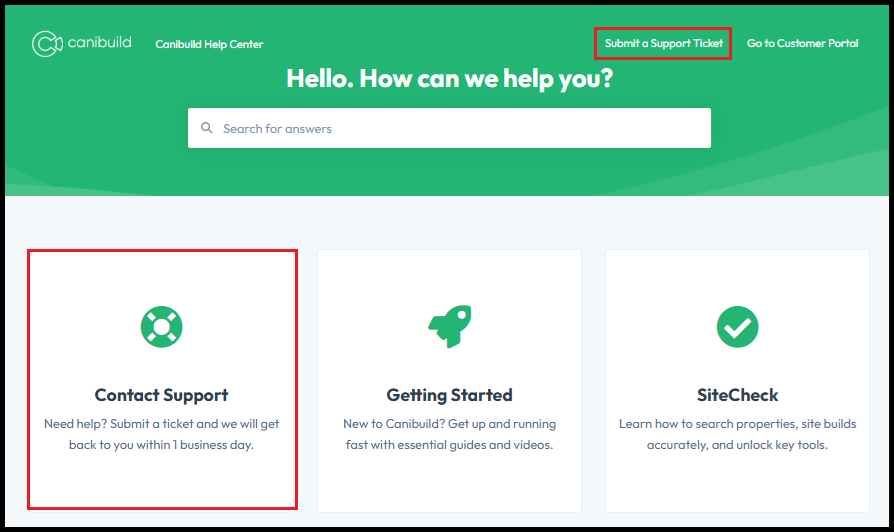
- Click Customer Support Request Form.
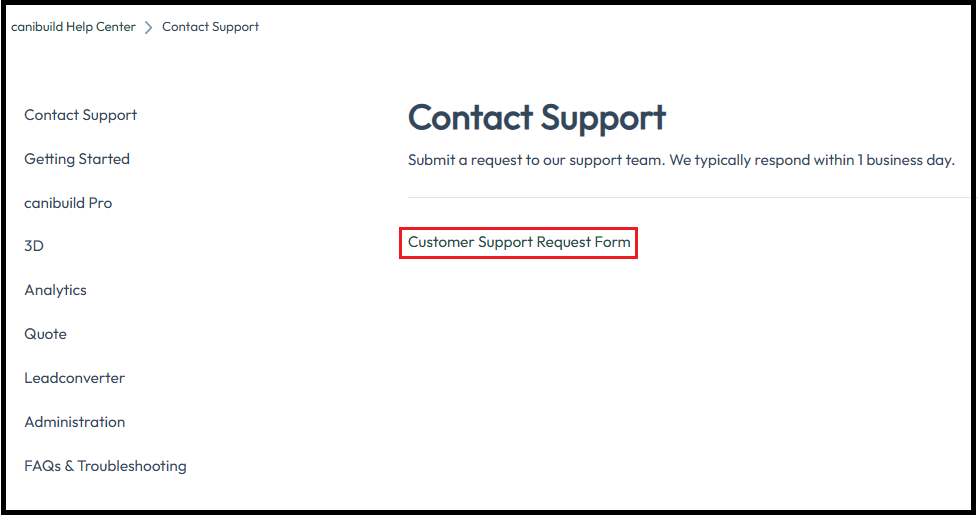
- Enter your contact details.
- Under Type of Enquiry, select Subscription Change Request.
- Select a Subscription Change Reason from the dropdown list.
- Add a relevant Subject and a short Description of the changes you’d like to make.
- Click Submit.