This article will help you understand how property lookups work in Canibuild & where you can monitor them.
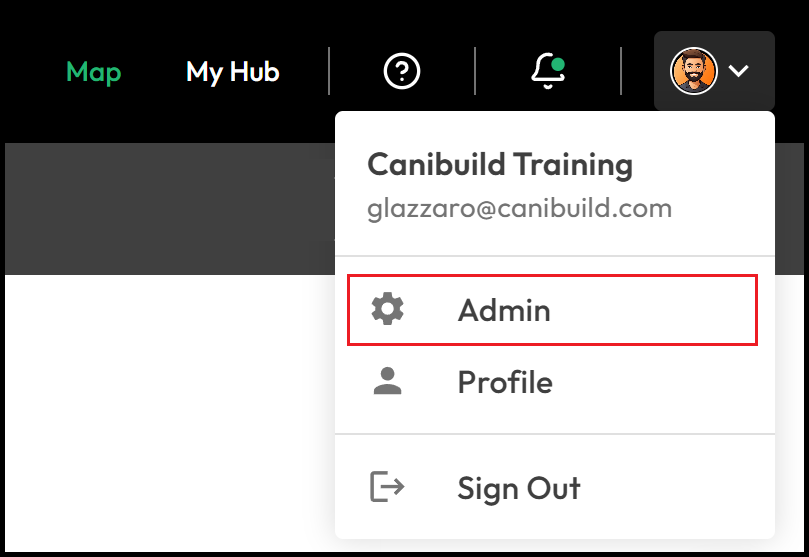
- To access the Admin section Click on your initials on the top right corner of the screen.
- Select Admin from the dropdown menu.
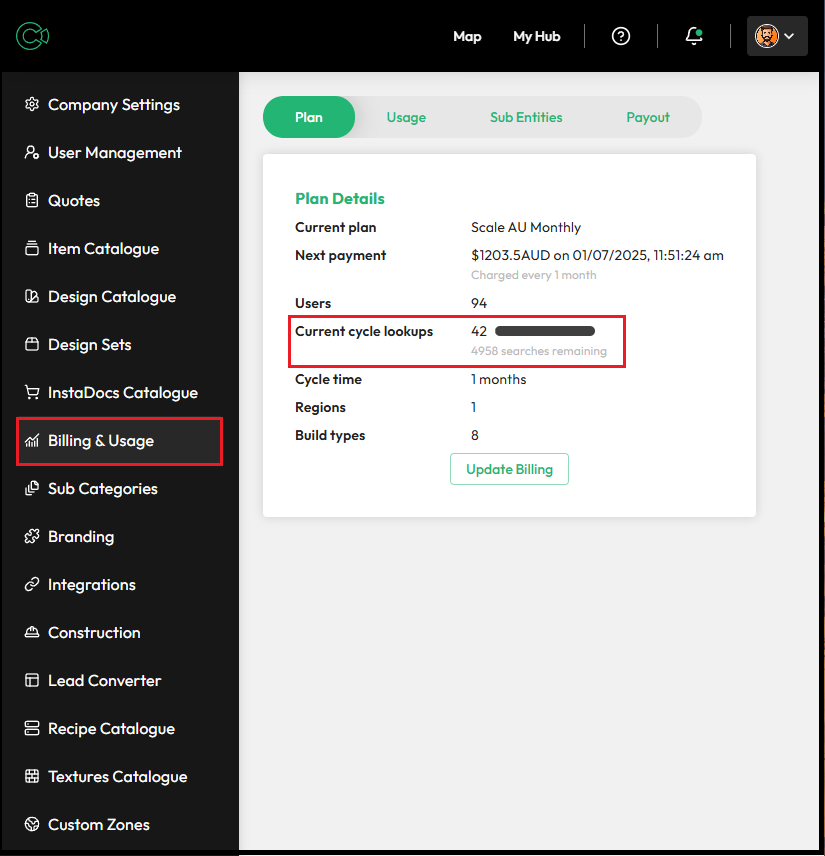
- Click Billing & Usage.
- View Current Cycle Lookups to see how many have been used.
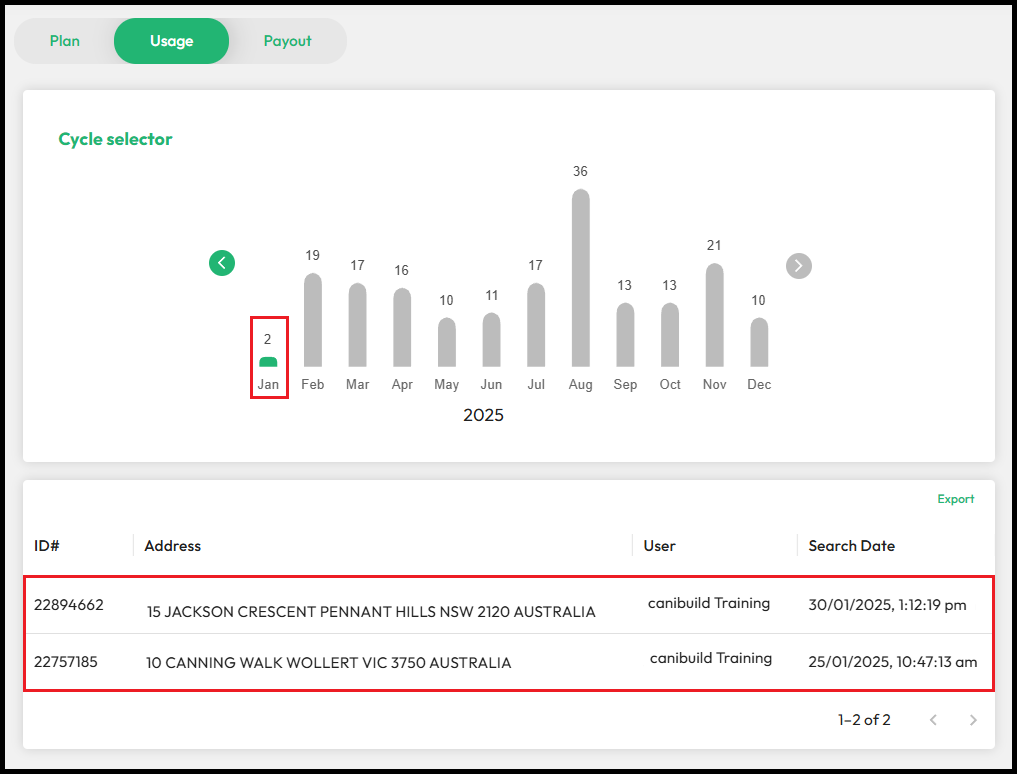
- Select Usage to view a detailed breakdown of monthly lookups & the addresses searched.