This article will cover how to add, edit & remove users in Canibuild, as well as how to manage access permissions.
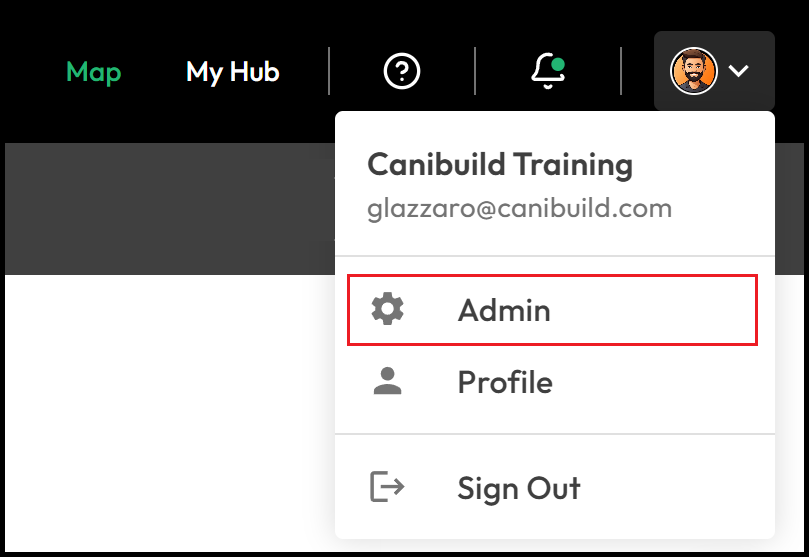
- To access the Admin section Click on your initials on the top right corner of the screen.
- Select Admin from the dropdown menu.
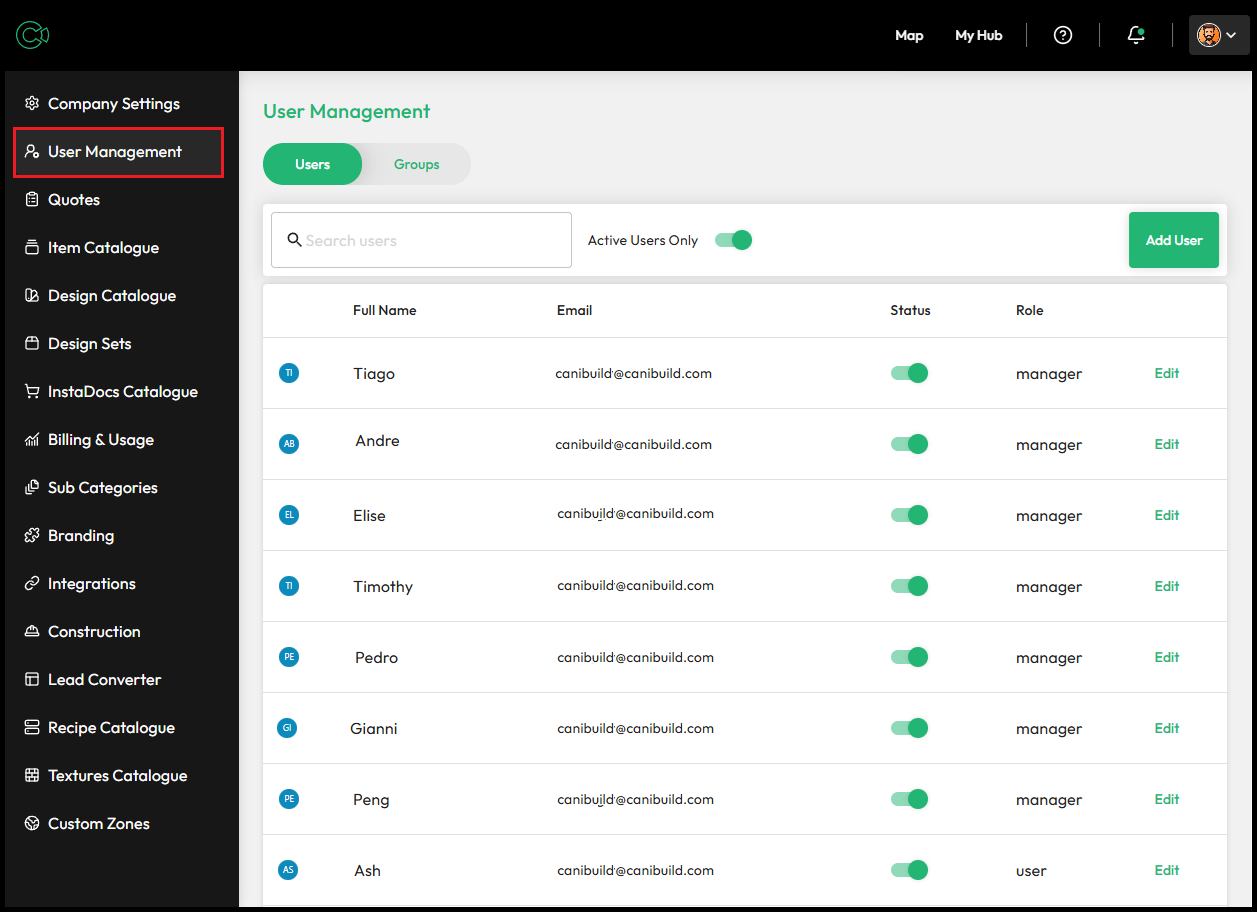
- Select User Management.
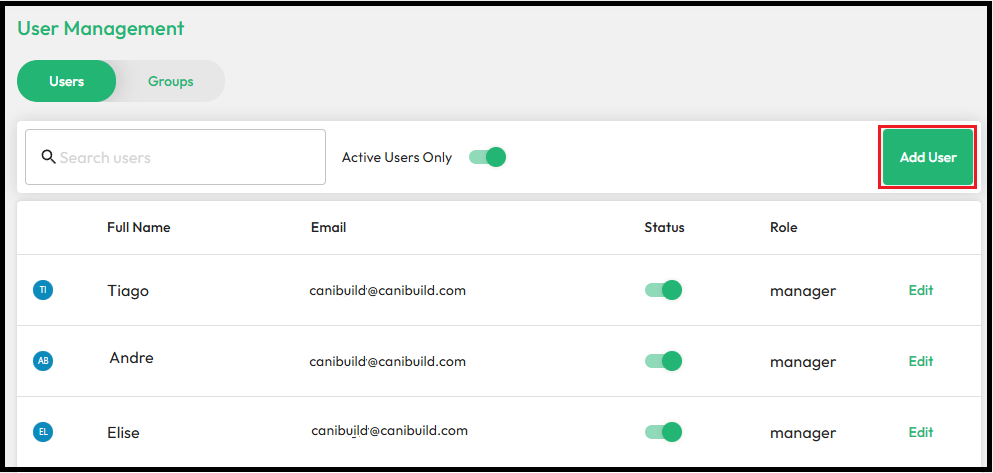
- Click Add User on the top right of the screen**.**
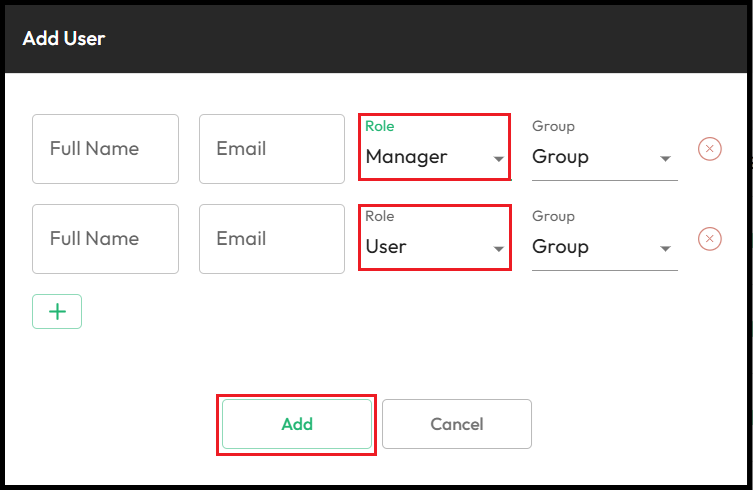
- Enter the user’s Name & Email.
- Select the user’s Role (User or Manager).
- Click Add to complete.
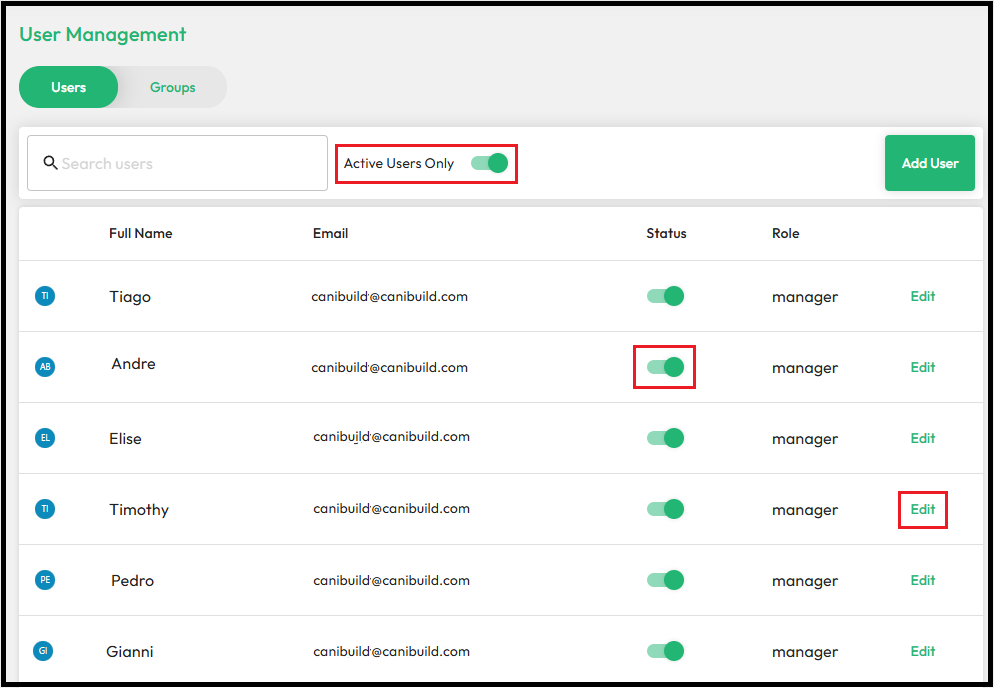
- To deactivate a user, click the green toggle under Status.
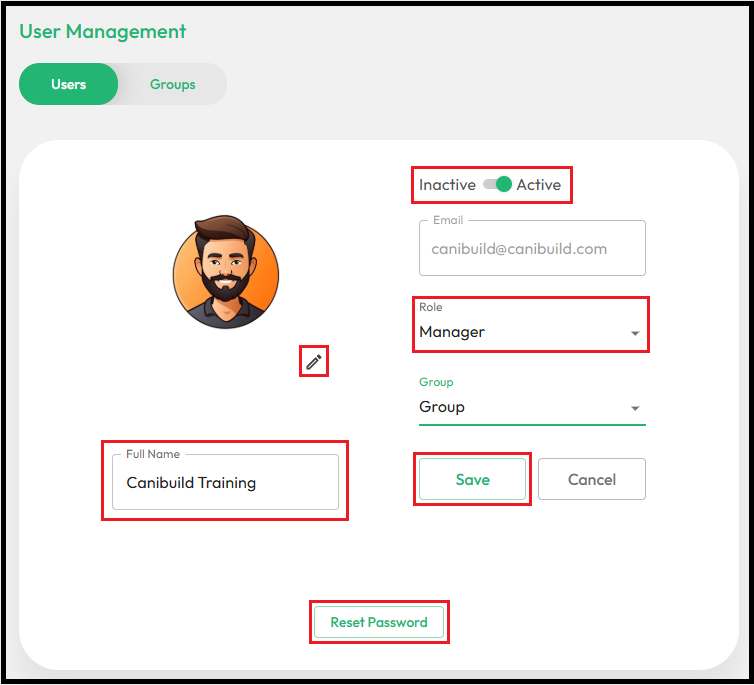
- Click Edit to access a users profile.
- Click the pencil icon to upload a profile image.
- Click the green toggle to deactivate the account.
- Edit the user’s name or change their Role.
- Click Reset Password to email the user a password reset link.
- Click Save to apply any changes.