
Help Center

How to Create & Manage Deals

This article will show you how to create and manage multiple Deals or Versions for the same address. These can be alternative layouts or scenarios. You can create separate deals for different clients, build types or various design options.

SiteCheckUpdated February 17, 20261 min read
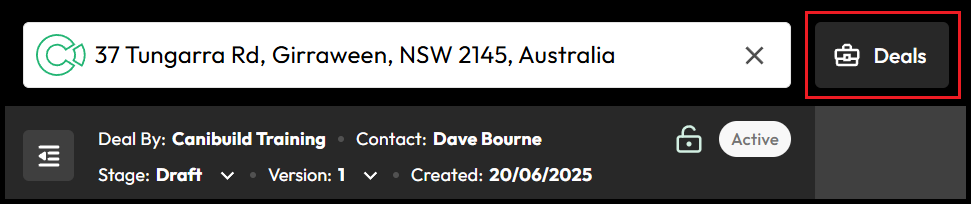
  • Click Deals.

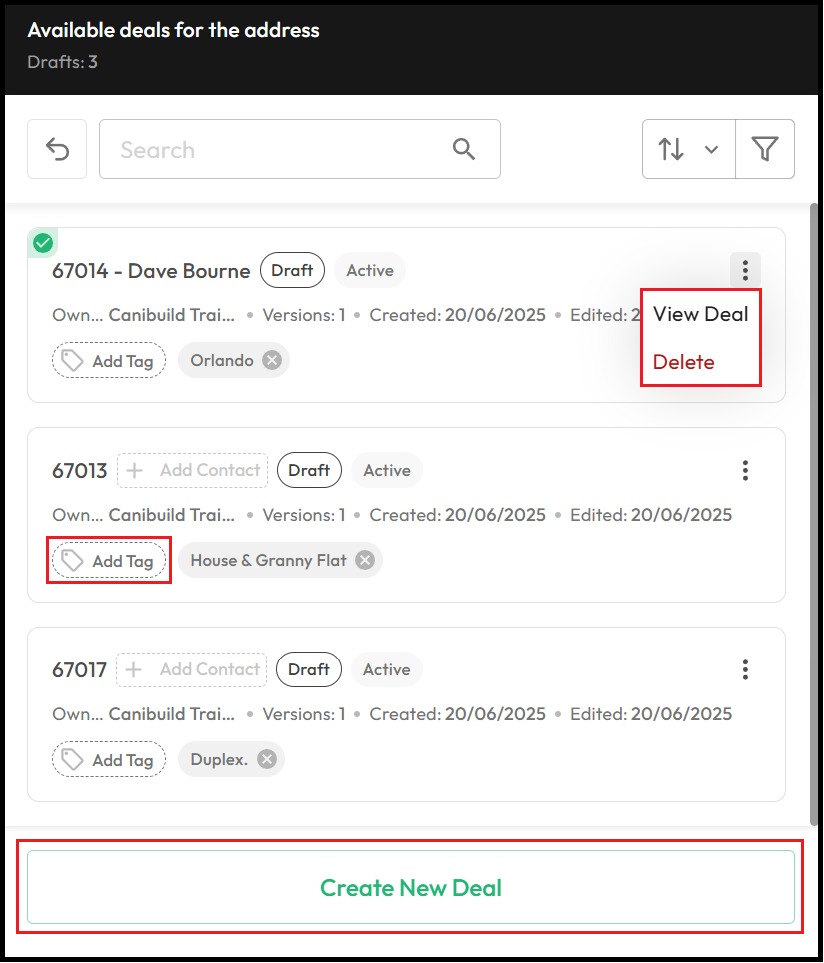
  • Click Create New Deal.
  • Click the 3 Dots to View Deal or Delete.
  • Click Add Tag to attach a short note or label to the deal.
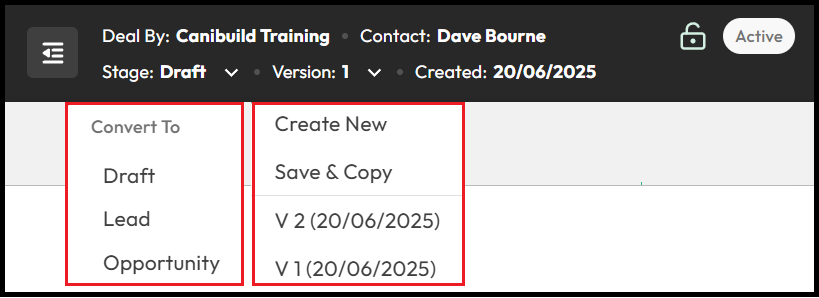
  • Click Version dropdown.

  • Click Create New to start a blank version.

  • Click Save & Copy to duplicate the current version for editing.

  • Select an existing version to switch between options.
Still need help?

Our support team replies within one business day. Chat with us using the bubble in the corner, or send a ticket.