This article will cover how to find & interpret property compliance for any build type & edit the setbacks if necessary.
- Place a Design on the site for the complete list of rules for compliance.
- The Setbacks display as a grey perimeter around the parcel.
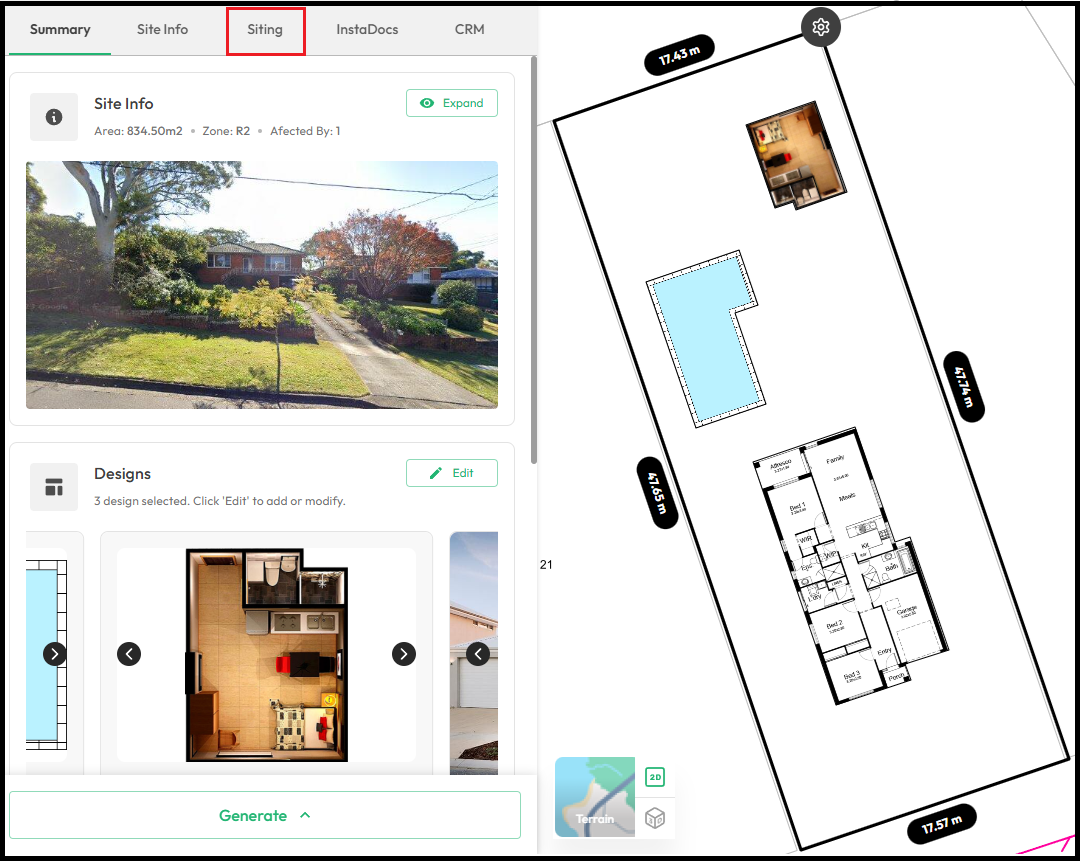
- Click Siting
-
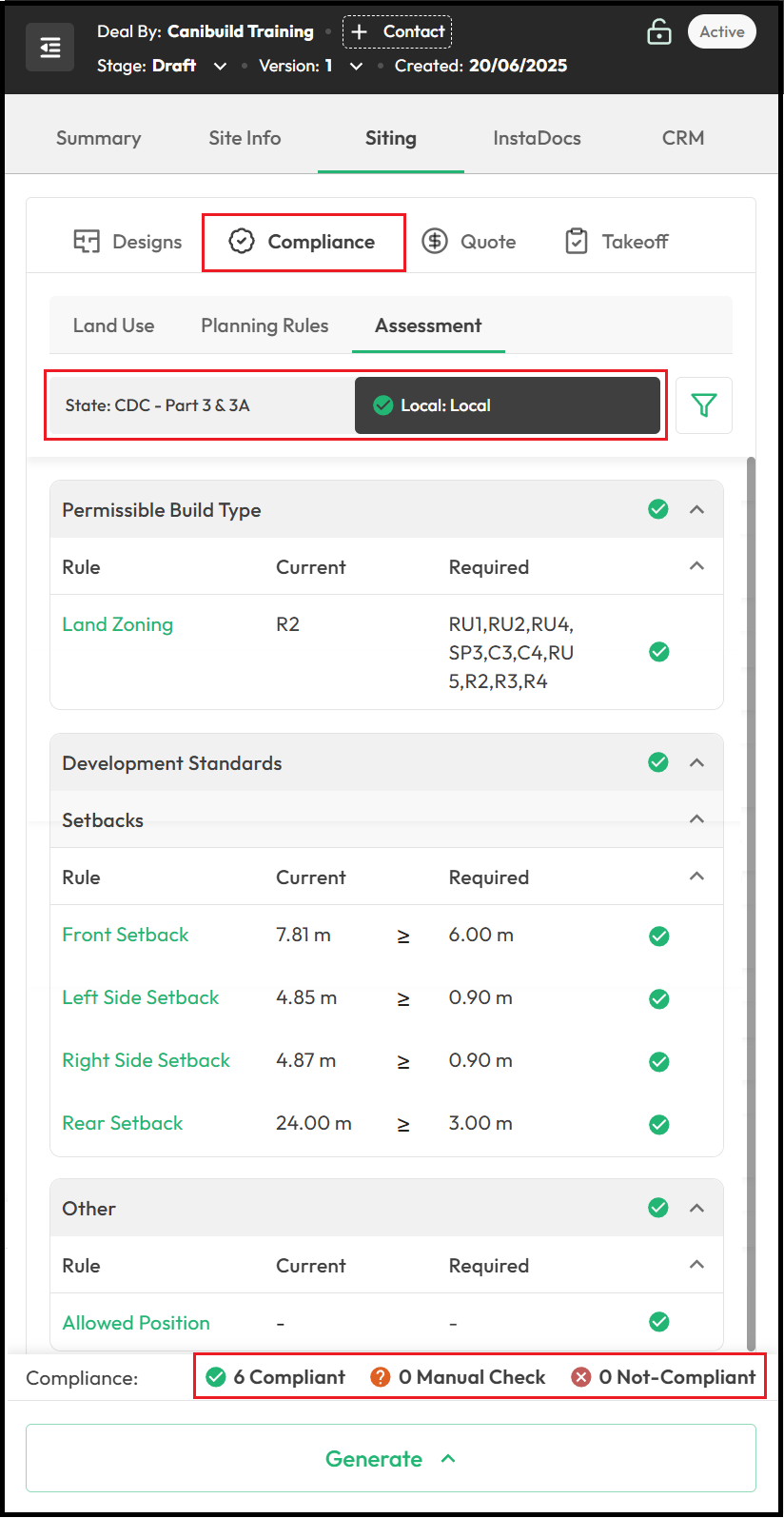
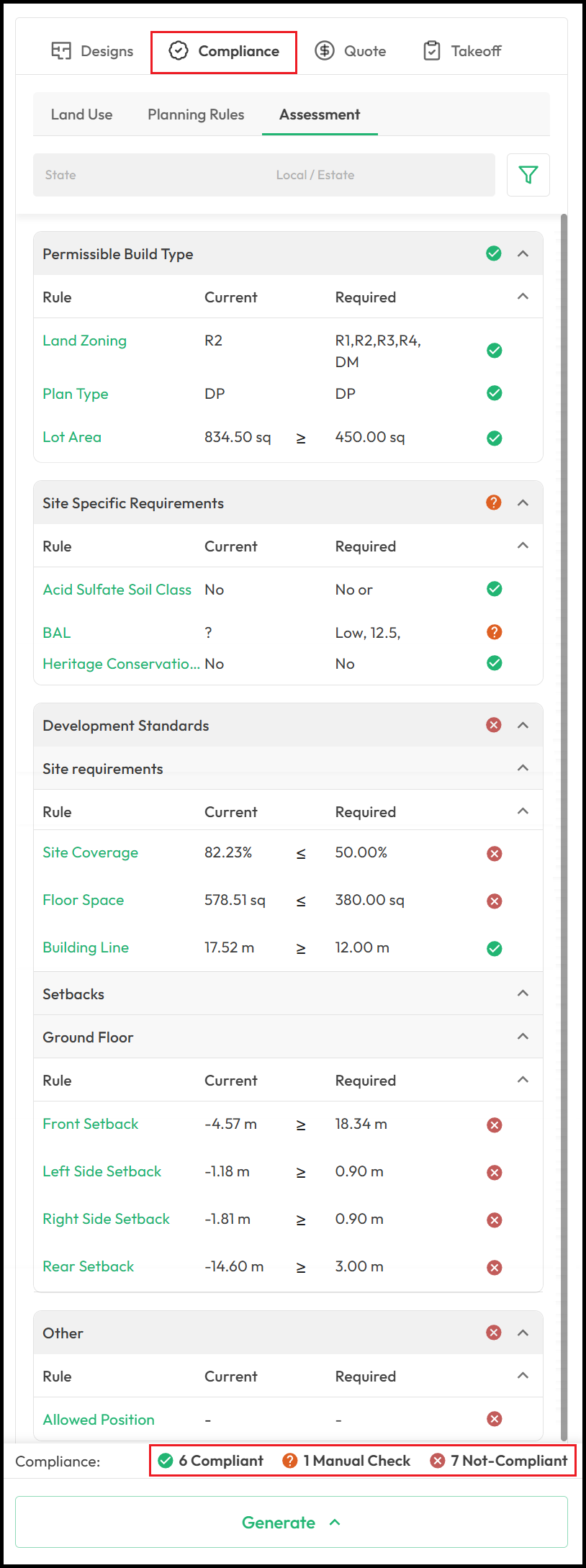
Select Compliance to view the full list of property rules.
-
Click Rule Sets to swap between options, if available.
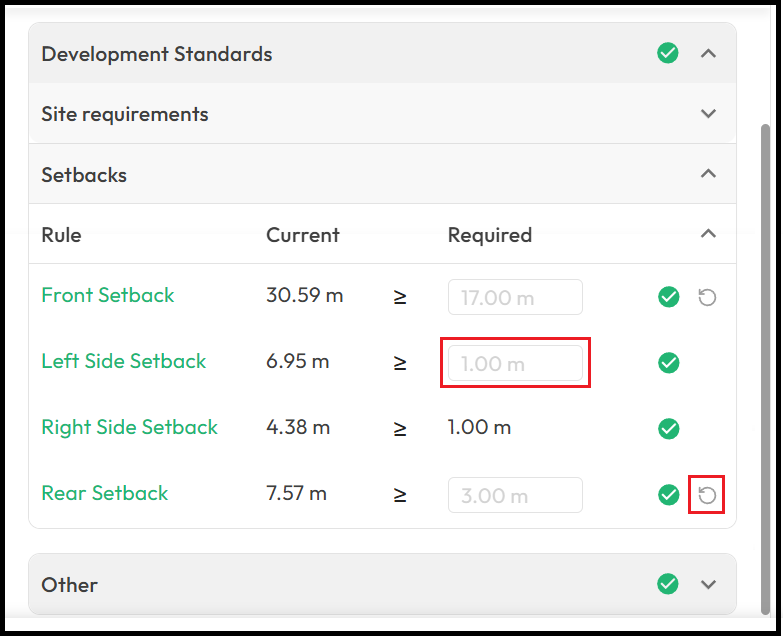
- Click the Required Number to edit the Setbacks.
- Click the Circular Arrow to reset.