| Boundary Wrench - Access and mange various aspect of the boundary. |
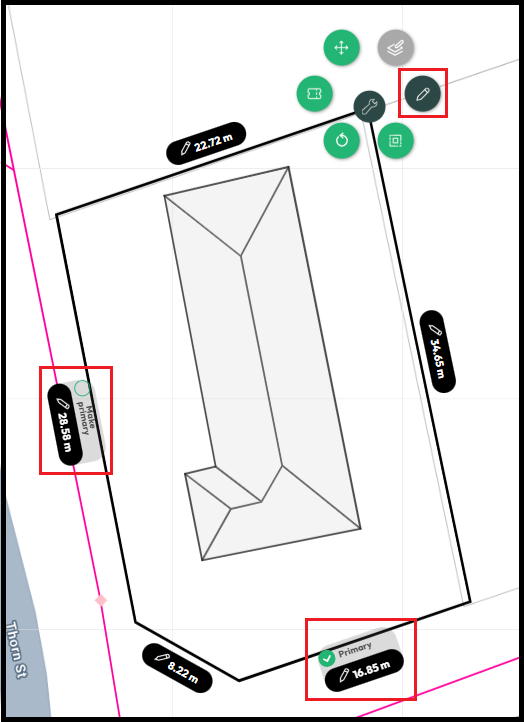
 | Edit Boundary - Swap the Primary boundary on corner lots & edit the displayed boundary dimension. |
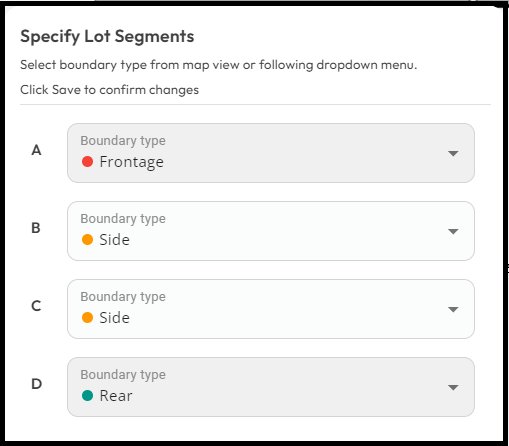
 | Edit Segment Type - Identify or swap the front side & rear segments. |
- Click the Wrench / Spanner on the boundary.
- Select Edit.
- Click Make Primary.
OR
- Select Edit Segment Type.
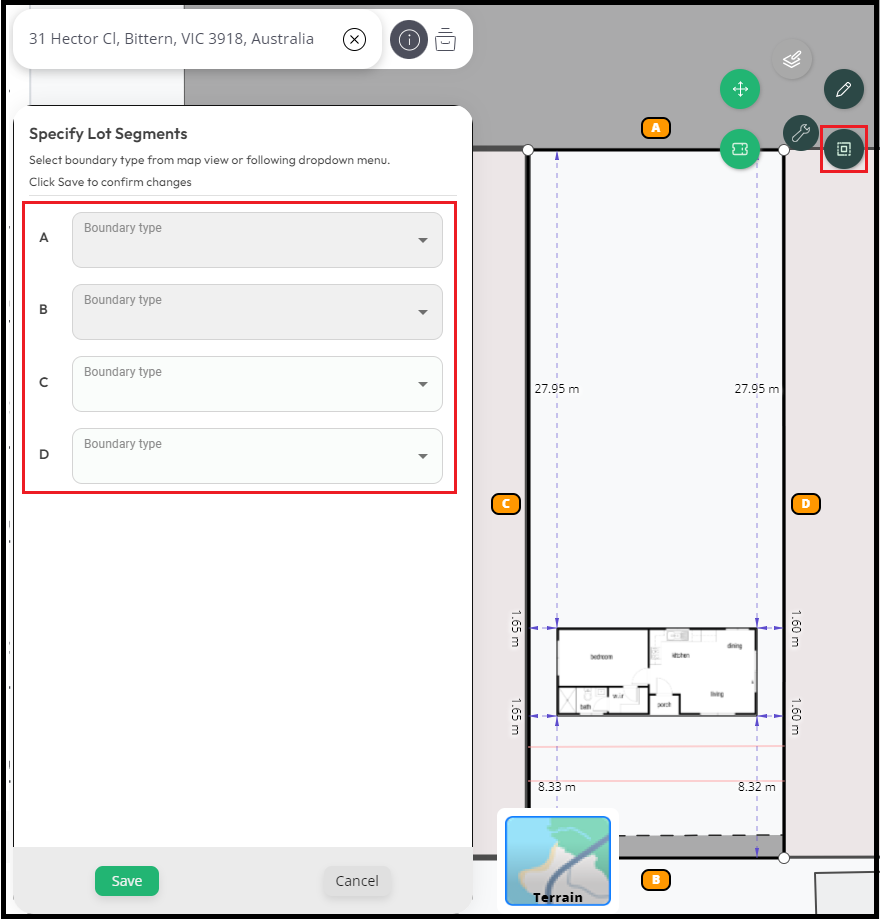
- Identify Front, Side & Rear.
- Click the Spanner / Wrench to lock the boundary.